When it comes to your business’ Facebook page, you will need to pull out all of the stops in order to really dazzle people. In this post, we’re going to look at five things you can do to make your brand shine on Facebook beyond just standard updates.
1) Make a branded Timeline cover photo
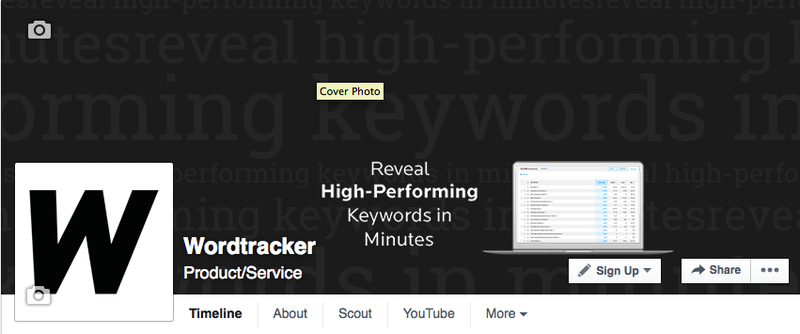
Just because Facebook has some rules on what you can or can’t use in the Timeline cover photo for your page doesn’t mean you don’t have the room for good branding. Your timeline cover photo is probably the first impression people will have of your page - make it a good one that can (if possible) explain your brand quickly and easily at a glance.
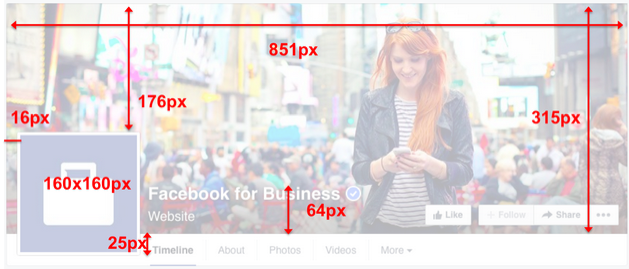
Your Page's cover photos will display at 851px x 315px on a desktop computer and should be under 100kb. Here is a guide from Facebook's help page:
2) Introduce your business in the About information
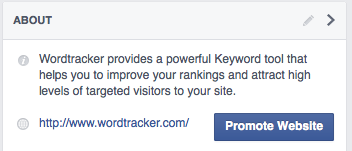
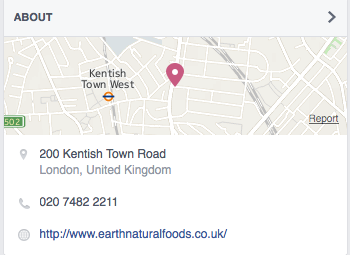
You will have about 165 to 170 characters for your About description to make it fit on the front of your profile. Your 'short description' and website will display by default
This should be a succinct description of your business - think of it like a web page’s meta description tag! Don't forget to include your website to the About page as it might bring you more clickthroughs to your website.
Local business pages will display local information instead.
3) Create unique content in custom tabs
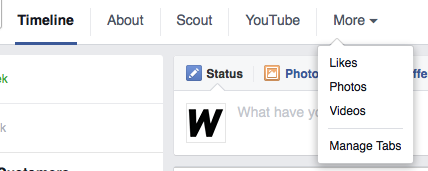
Above is how Facebook tabs appear at the moment, compared with how they use to look (below) they look more like a basic website navigation bar.
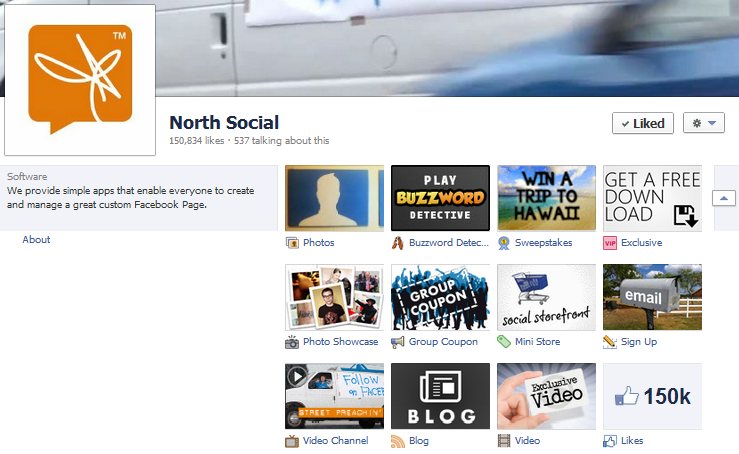
Everyone’s Facebook page is going to look a bit similar. The only area you can add customization to is within the custom content tabs. Facebook gives you 12 slots - two to three of them will be taken by your number of likes, photos, and videos. The other nine are yours to customize as you please. Some types of custom content you could use includes the following:
Welcome Tabs - This is simply custom content that you create to welcome new visitors to your Facebook page. If your target audience is not very social media savvy, you can always use this tab to introduce your business and let visitors know how they can interact with your page. By offering simple explanations of what you want your visitors to do, you will get more people who actually do what you want them to.
Discounts/Coupons - If you want to offer your fans special discounts and coupons, what better place to put them than on your custom content tabs? Especially if you have physical stores and fans would need to print them out!
Other Social Content - Want to cross-promote your Twitter or Pinterest updates with your Facebook fans? You can with custom content tabs running applications that will pull your other social network updates into your Facebook page.
Blog Posts - One of the best ways to promote your blog posts is by posting the links to new posts on your wall. The next best way would be to use an application that pulls in your latest blog posts based on your blog’s RSS feed.
Videos - While you can upload videos directly to Facebook, there’s a good chance you already have a video library on YouTube. Certain applications can allow you to display your YouTube videos on your Facebook page so fans can view them without leaving your page.
Shopping Carts - Why have fans leave your page to do their shopping when they can do it on your Facebook page? Sell anything from physical products to tickets to an event without losing your fans in between your page and your website.
So how can you add custom content to your Facebook page’s tabs? There are three ways you can go:
- Create the content yourself through the use of HTML and iFrames. There are lots of great tutorials out there that can guide you through the process of building a Facebook Landing Page with iFrames, if you have some coding experience. Alternatively, there are many services that can do this for you.
- Hire a consultant or developer to create custom content for you. Facebook has a Preferred Marketing Partner Directory available to help you find experienced professionals for your needs.
- Use a provider who offers applications for your custom content tabs. Some companies offer free apps, others have premium apps that go for a one-time fee or monthly subscription. Examples include Woobox and Pagemodo
Find out more about how you can optimize your Facebook custom tabs in this great article by Jim Belosic.
4. Add a Call-to-Action button
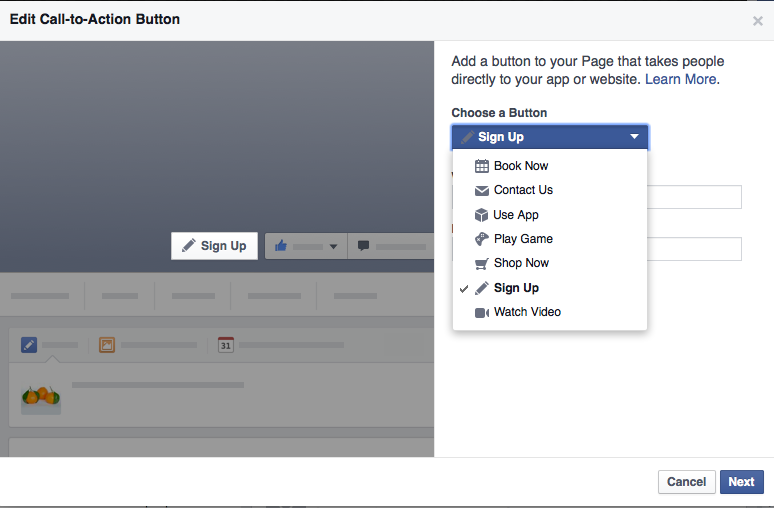
On your Facebook Page, you can add a custom call-to-action button. Chose either Book Now, Contact Us, Use App, Play Game, Shop Now, Sign Up, or Watch Video from the drop down menu and include the relevant link. It's a great way to increase traffic flow and conversions from your Facebook page.
5. Emphasize updates by pinning posts
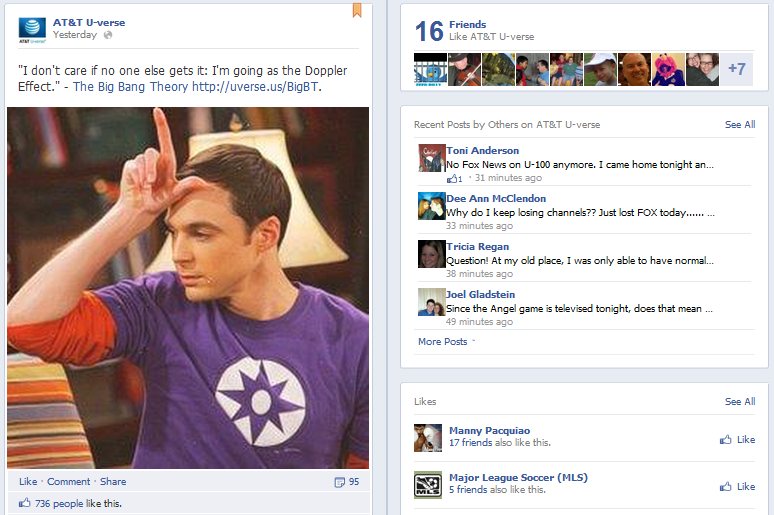
Tell your fans which updates are most important by using the options to pin them to your timeline. Pinning will bump any status update on your timeline up to the top left and keep it there until you unpin it.
Highlighting your status updates used to stretch them out across both columns of your page’s wall. As page's no longer have a 2 column set up this seems to be a bit of legacy code that will probably be removed over time.
By using the five above mentioned things on your Facebook page you will give your visitors and fans the ultimate Facebook experience as well as the best impression of your brand! And be sure to update your page regularly - the Timeline design is not forgiving when it comes to gaps in status updates!
Follow us on Facebook
Join the discussion on Facebook.
Get a free 7-day trial
A subscription to Wordtracker's premium Keywords tool will help you to:
- Generate thousands of relevant keywords to improve your organic and PPC search campaigns.
- Optimize your website content by using the most popular keywords for your product and services.
- Research online markets, find niche opportunities and exploit them before your competitors.
Take a free 7-day trial of Wordtracker’s Keyword tool
