Contents
Use the links below to hop to content within the article.
Understanding your Google Analytics Account
Using Google Analytics for your SEO Campaign
- How much organic traffic is my site getting
- Which keywords drive traffic to my site
- Which keywords drive traffic to a page
Preface - Setting up your Google Analytics account
If you've already got GA (Google Analytics) set up, then this article is for you. However if you've not got that far yet, don't worry we've got you covered. Instead you should check out our freshly updated article on setting up Google Analytics. We walk you through the process and show exactly how to get everything up and running. It's probably a lot easier than you thought, especially if you use a CMS or a hosting service that has a ready made installation for you.
Part 1: Understanding your Google Analytics account
Something guides often forget to cover is GA’s somewhat initially confusing layout and menu system. GA uses a combination of a top nav for account level information, then within the Reporting section (where the analytics data can be found) the side nav to breaks down all the options for drilling into your analytics data.
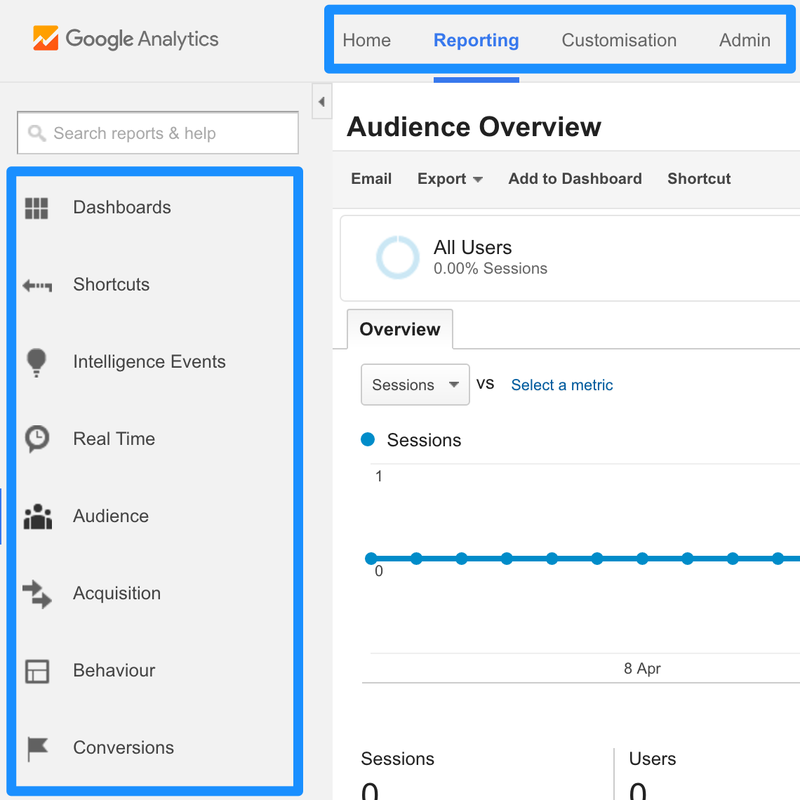
Analytics Navigation
The Reporting section's side nav is broken down into the following sections:
Dashboards: For creating a custom dashboard, like a dynamic report. It allows you to quickly get an overview of your account with the figures you specifically want. One for when you are properly familiar with GA.
Shortcuts: A really handy feature for creating, well, shortcuts! When you have drilled down into the data you want you can click the Shortcut button on the page:
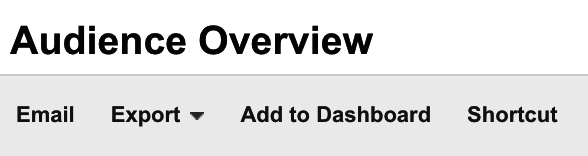
A link is then placed to the page within the shortcuts section, allowing you to quickly return to that page.
Intelligence Events: Automatic Alerts are generated for you, or you can add custom alerts. These can often be the first warning sign that something is wrong with your website or SEO campaign. Usefully you can set these to email you when they are triggered as well as showing within your account.
Realtime: This is like a compact analytics with more limited options and data within it. However, it actually shows what’s going on right now, for example how many people are visiting your site right this second, what pages they are looking at and for how long. Be warned, it’s easy to get sucked in and spend too much time staring at this section without getting that much actionable data.
Audience: Who is looking at your website? This is the data that helps you to understand your audience from basic demographics to location and technology (desktop, mobile, OS, etc).
Acquisition: How did your audience arrive on your website? This gives you a breakdown by channel on how your traffic arrived at the page. To get any data for the Search Engine Optimisation section you’ll need to link your Search Console account. Luckily, you can just click the button and follow the onscreen instructions. It can be verified through your GA account so it’s a pretty straightforward process.
Account Navigation
The top nav is pretty simple. If you have multiple properties linked to the same GA account you’ll be able to switch between these on the Home page.
The Admin section might appear a little complex at first but can be broken down:
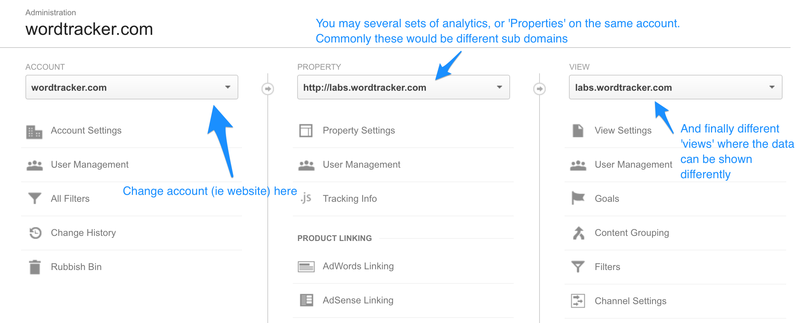
The Account is the GA account; usually a different account for a different domain. Then there is the Property within the account. These will usually denote different subdomains where you may have a different set of GA.
Finally you have the View which is the specific version of the analytics. You can filter what is shown within each view. For example, you may want to have a View which only shows one part of the site, which you can then share access to with an outside party. Views can also be really useful where you have data that you want to consistently filter out, such as traffic from a domain you know to be false.
Part 2: Using Google Analytics for your SEO Campaign
We’re going to cover some of the real low hanging fruit, the stuff you can take away and action right away. In doing so you’ll also learn much more about GA and start gaining insight into some of the more advanced things you can do with it. What we’re covering here is the real SEO focused stuff. However, there is a wealth of information relating to User eXperience to get from GA as well.
How much organic (SEO) traffic is my site getting?
The very first thing you might want to understand is how much traffic is coming to the site. Specifically for us, how much traffic is coming from Organic Search (SEO). This is effectively the ‘non paid’ traffic coming from search engines.
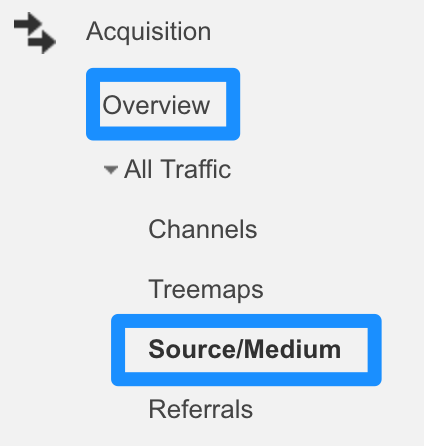
Just go to Acquisition and first off try the Overview. Here you’ll see a breakdown of traffic per channel and some additional charts. You can then go to the Source/Medium section to drill into this in more detail.
Which keywords drive traffic to my site?
Keywords are a core part of your SEO activity and Google understands this, which is why GA has a dedicated section for them called Queries.
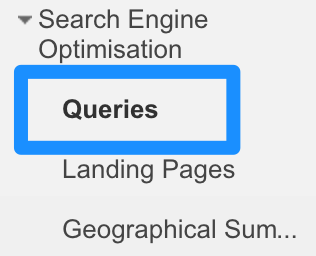
Here you can find a breakdown of all the keywords driving traffic to your site:

Some definitions:
Query: The keyword which is searched for.
Impressions: The amount of times one of your site's pages, ranked for that keyword, has been shown in the search results.
Clicks: How many times one of your site's pages has been clicked after showing in a search for that keyword.
Average position: When a page is shown for that keyword what the average position is.
CTR: What percentage of the time does one of your pages, when shown for that keyword, get clicked on.
The search function here is really handy, allowing you to drill down into your keywords and see how much traffic you are driving for certain phrases. This is perhaps more relevant than ever as Google gives increasing value to groups of semantically linked terms, rather than instances of individual terms.
Where to concentrate your SEO efforts
Navigate to the Landing Pages section, under Search Engine Optimisation and you’ll find the list of your top performing pages. There are a couple of different ways to look at these pages, so we’ll quickly step through the different options to sort the information.
Clicks: Sorting by clicks allows you to see which pages are your actual best performers. It’s worth making sure that your top articles are up-to-date and performing as they should. Make sure articles and posts' content are updated and they signpost users off to the correct part of your site. Think about how these pages perform and convert.
Impressions: These articles may not drive the most traffic, but they have the potential to do so. This is a great place to look for those articles which may capture a larger share of traffic with a little SEO work. Think about creating content that can rank well in these areas or converting the traffic.
Avg Position: This is where you can quickly dig out some low hanging fruit. Look for pages which are in position 4 or 5. With a little elbow grease you should be able to push these into the coveted 1-3 spot, where they will generate many times the traffic.
Advanced win > Combine all three
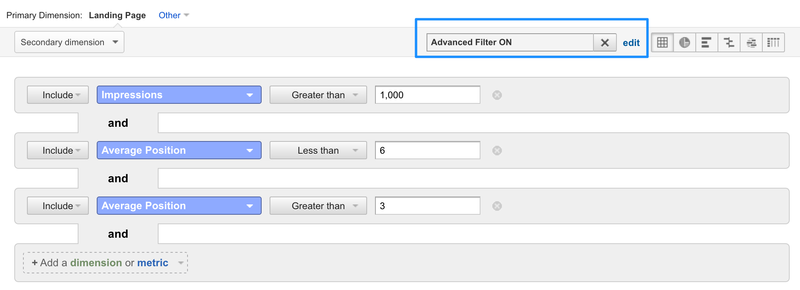
Like most things these metrics become much more effective when combined. Use an advanced filter to find, for example, pages which get more than 1000 impressions and have an average rank of 4 or 5.
Find out which keywords drive traffic to a page
So now you have a grasp of which keywords are important to your site and which of these are driving traffic. Now it’s time to put that together and have a look at keywords at a page level. This is slightly more long winded as GA doesn’t allow you to drill into a page in the Search Engine Optimisation section to get this information.
Instead, you need to go to the Behaviour section and navigate to:
Behaviour > Site Content > Landing Pages
Then search for the pages you are interested in, such as the ones you identified in the above section, or just check out your best-performing pages.
When you select a page you’ll see you can use the secondary dimension section to add keywords:
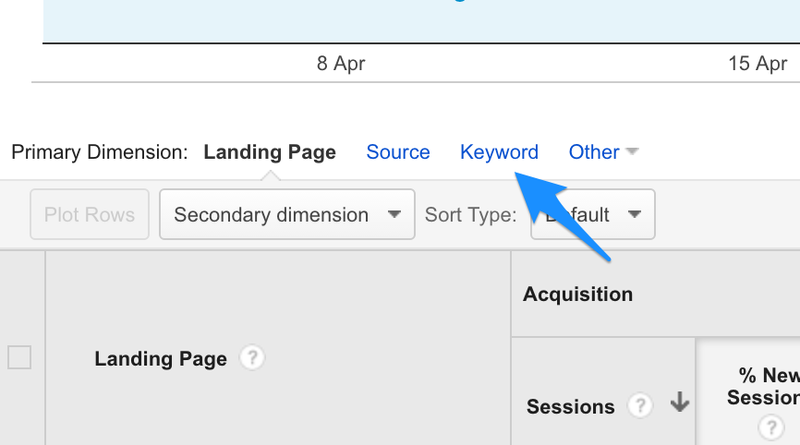
This will then show keywords from all sources which are driving traffic to the page. I would use the advanced filter to narrow this down to certain sources or methods (such as just Google / Organic Search). You can also do this by adding and sorting columns to the data but it soon gets confusing. Once you have the data how you want it, it's time to use the Shortcut function, so you can get back to it quickly and easily in future.
The more information you combine together the likelier you are to find useful and new insights. For example, getting the traffic driving keywords from your site and then using a rank checker to track these more accurately can be a great place to start. Google does provide the average position information, but being able to see which keywords are ranking where exactly for those pages allows you to start targeting your efforts more accurately, especially when you consider link building activity.